Use layered lighting for your home office: separate ambient, task, and accent sources rather than relying on one overhead fixture. Aim for roughly 300 to 500 lux at your desk surface, with an adjustable color temperature you can shift depending on the task. Glare control and dimmability matter more than raw brightness. Get those two things right and everything else about home office lighting falls into place.
TL;DR:
- Proper layered lighting involves balancing ambient, task, and accent sources, with each serving specific functions to reduce eye fatigue and create a comfortable workspace.
- Adjustable fixture placement, dimmable controls, and scene settings are essential for customizing the lighting based on activity, time of day, and personal preference.
- Achieving 300 to 500 lux with a color temperature around 4000K optimizes focus and reduces fatigue, but individual testing is recommended for best results.
- Small, inexpensive adjustments like swapping to dimmable LED bulbs and repositioning lamps can significantly improve lighting without major renovation.
- Glare management through proper fixture placement, screen angle, and indirect bouncing of light is crucial to prevent eye strain and maintain visual comfort.
Table of Contents
- What Layered Home Office Lighting Actually Means
- Match the Fixture to the Job, Not Just the Room
- The Light Levels and Color Temperature That Actually Help You Focus
- Controls That Are Worth Paying For
- Fixing Glare and Screen Reflections Once and For All
- Fast Lighting Fixes for Four Common Home Office Setups
- A Quick Design Checklist Worth Running Before You Buy Anything
- How Home Office Lighting Affects Your Eyes and Your Focus
- Energy Efficiency and Choosing the Right Bulb Type
- Budget-Friendly Ways to Fix Your Home Office Lighting
- What Most Home Office Lighting Advice Gets Backward
- Get Curated Lighting Picks From This Site
- Sources
- FAQ
What Layered Home Office Lighting Actually Means
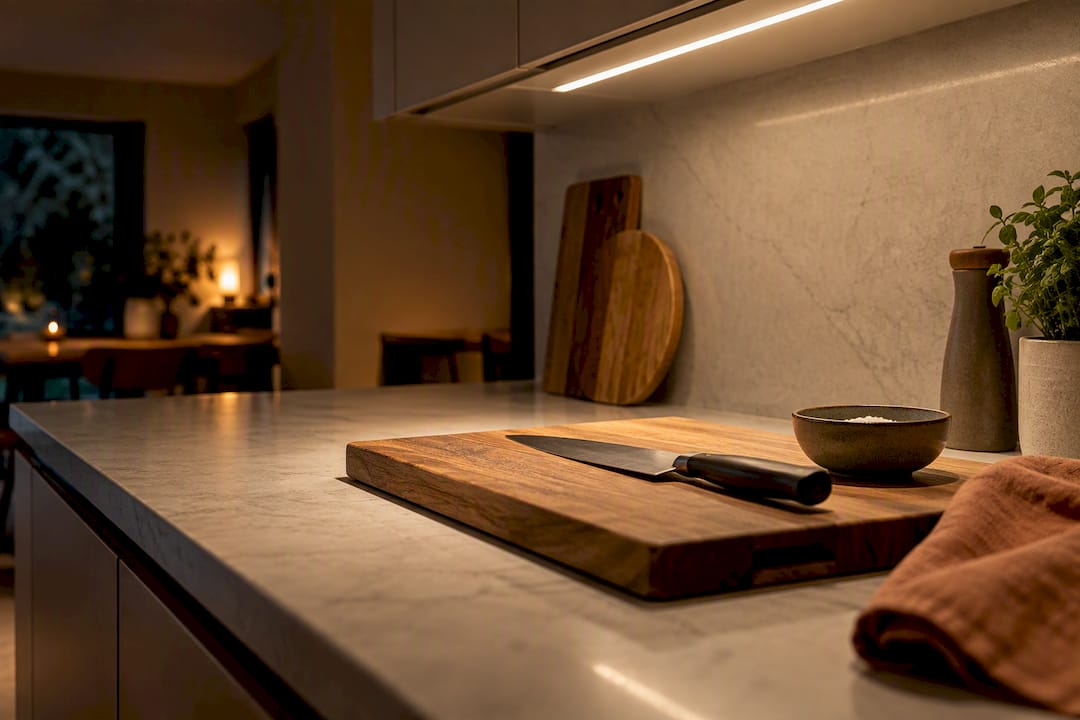
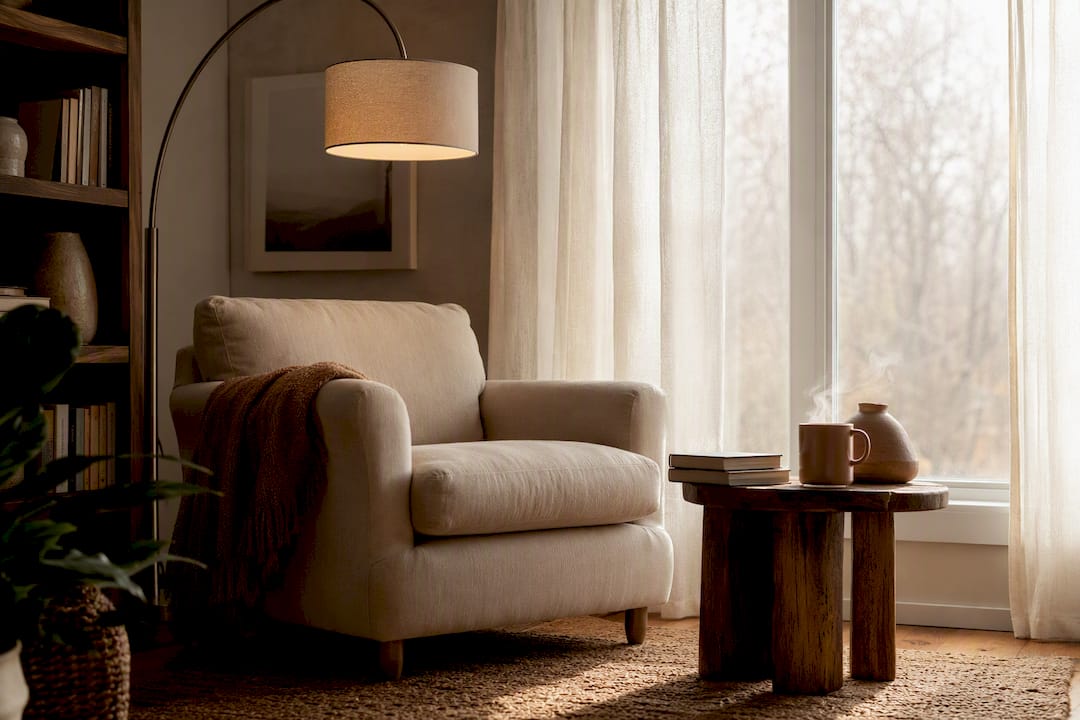
Ambient light fills the room. Task light lands on your work. Accent light gives the space personality. Most home offices get one of these and skip the other two, which is why a room can feel bright overall and still leave your desk in a dim patch, or feel harsh and flat even with plenty of lumens.
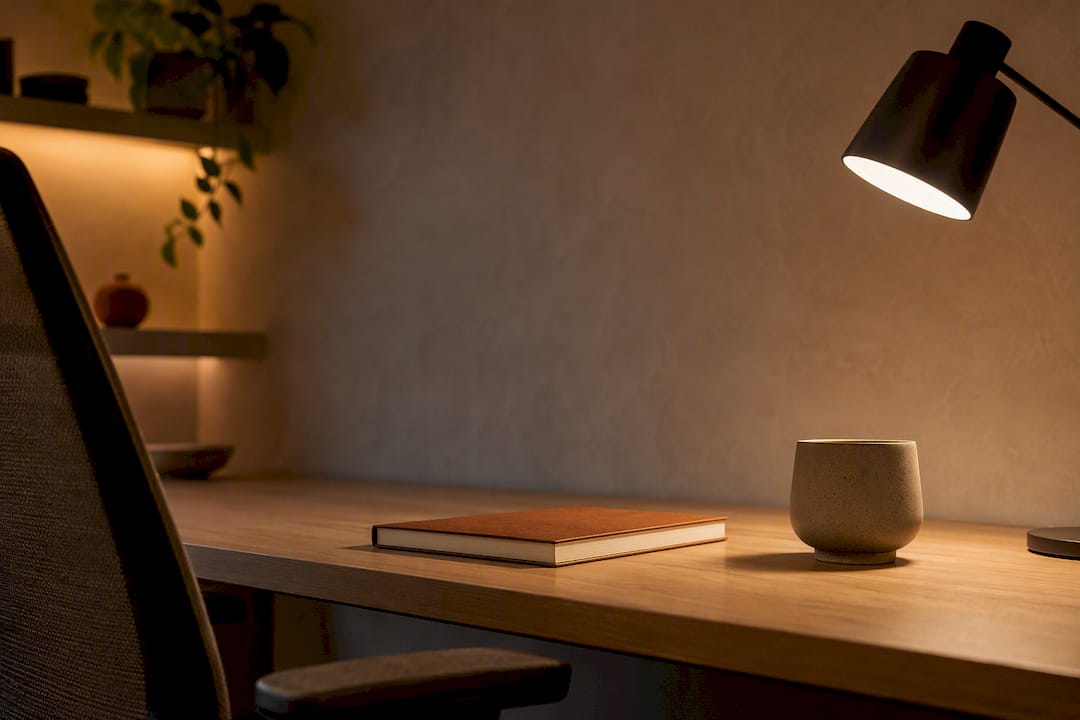
Ambient light might come from a ceiling fixture or a floor lamp bounced off a wall. Task light is your desk lamp or monitor bar, aimed precisely where your hands and eyes are working. Accent light, maybe a small picture light or a warm strip behind a shelf, does no functional work at all. It just keeps the room from feeling clinical.
The performance case for balance over brightness is straightforward: uneven light forces your eyes to keep readjusting between a bright task area and a dark surround, which is a known driver of visual fatigue. Research on workplace lighting design recommends keeping the light around your task more intense than the room, but the surrounding levels reasonably uniform rather than pitch dark. Reflected, indirect light raises that surrounding level without creating glare the way a second direct source would.
A simple starting setup:
- A dimmable ambient source (ceiling fixture, torchiere, or a floor lamp bounced off a wall or ceiling)
- An adjustable task light aimed at your keyboard, notepad, or reading material
- One soft accent light, just enough to keep the room from feeling like an interrogation booth
Match the Fixture to the Job, Not Just the Room
Buying a beautiful lamp before you know what job it needs to do is the most common home office mistake. Fixture choice should follow task first, aesthetics second.
- Adjustable desk lamps work best for writing, reading physical documents, and any task where you need a movable pool of light. Look for an articulating arm so you can redirect it as the sun moves.
- Monitor light bars clip to the top of your screen and light your desk without adding glare on the display itself, ideal for screen-heavy work in a room with limited desk space.
- Recessed or ceiling fixtures handle ambient fill for the whole room, especially useful in low-ceiling spaces like basements where a floor lamp eats into headroom.
- Floor lamps give soft, indirect fill light, particularly effective when aimed at a wall or ceiling to bounce the light rather than shining it directly.
- Sconces, strip lights, and small pendants solve accent needs or fill dead corners without requiring new wiring, and fixture guides generally recommend choosing them by function first.
If you rent, plug-in fixtures (floor lamps, clamp lamps, sconces on a cord) let you build a full layered setup with zero electrical work. If you own your home and plan to stay, hardwired recessed lighting or a dedicated wall dimmer is worth the install cost, since it gives you cleaner control and no cords running across your workspace.
The Light Levels and Color Temperature That Actually Help You Focus
For most mixed screen and paper work, target 300 to 500 lux measured at your desk surface. That range comes from real experimental data, not a rounded guess.
What the research shows: A controlled study on computer work fatigue found that a combination of 4000 K color temperature and 500 lux produced the lowest fatigue and error rates among the lighting conditions tested, outperforming both dimmer and cooler-toned setups.
Color temperature matters almost as much as brightness. Somewhere around 3500 to 4000 Kelvin tends to support alertness for screen-heavy, high-focus work, while warmer tones closer to 2700 to 3000 Kelvin feel more comfortable for reading or winding down in the evening. If you're deciding between those two warmer options for the rest of your home, our comparison of 2700K versus 3000K breaks down the visual difference in more detail.
Here's the catch: individual response to light varies enough that researchers studying task performance under different lighting conditions recommend adjustable setups and personal trials rather than one fixed prescription. A free lux meter app on your phone gets you close enough to test your own desk. Spend a week dimming and adjusting CCT at different times of day, and you'll land on your own sweet spot faster than any chart could tell you.
Controls That Are Worth Paying For
Not every smart feature earns its price tag. The ones that actually change how your office feels are independent control over each light layer, real dimming range, and saved scenes you can trigger without thinking.
- Control ambient, task, and accent lighting on separate circuits or separate smart devices, not one master switch.
- Prioritize genuine dimming, not just on/off smart plugs. A light that only turns off doesn't help you tune brightness through the day.
- Build two or three scenes: a brighter, cooler "focus" scene for the morning, a warmer "wind down" scene for late afternoon, and a flatter, evenly lit scene for video calls.
- For fixtures that are wired in and controlled by a wall switch, a smart switch is usually more reliable than a smart bulb, since flipping the physical switch off can cut power to the bulb's radio and break your automations. Our breakdown of smart bulbs versus smart switches walks through which fits which fixture.
Pro Tip: Set your video-call scene slightly brighter and slightly cooler than your normal focus scene. It flatters your face on camera and keeps you visibly alert without looking washed out.
Fixing Glare and Screen Reflections Once and For All
Most home office lighting complaints trace back to glare, not dimness. Get the placement wrong and even a well-chosen fixture will fight you all day.
- Position your task light on the side opposite your dominant hand, so the light falls onto your work instead of your hand's shadow falling across it.
- Keep your monitor perpendicular to any window, never facing it or backed against it, to stop daylight from washing out the screen or reflecting behind you on calls.
- Bounce ambient light off a wall or ceiling rather than pointing any fixture directly at eye level. Lighting research is consistent on this point: light should avoid pointing toward the worker's face, and intensity should concentrate on the task area, not the eyes.
- Sit at your desk at night with only your task light on, and slowly look around the monitor's edges for glare spots or reflected bulbs. If you see one, that's exactly where a reader on the other side of a video call sees it too.
- If a reflection persists, try an anti-glare monitor hood, a matte screen filter, or simply angling the screen down a few degrees before buying new lights.
Fast Lighting Fixes for Four Common Home Office Setups
Your room shape decides more of your lighting plan than your budget does. A few starting points by scenario:
- Desk facing a window: Add sheer curtains or adjustable blinds so daylight can be softened rather than fought, plus one task lamp for the hours daylight fades. Window light shifts through the day, so build your scene around flexibility, not a single fixed brightness.
- Small corner setup: A single clamp-on desk lamp plus a wall sconce nearby covers task and ambient without eating any surface space. Skip a floor lamp if the corner is tight.
- Closet or nook office: Rely on a slim under-cabinet LED strip for ambient fill and a monitor light bar for task light, since floor space for a lamp usually doesn't exist.
- Basement office with no natural light: Combine a ceiling-bounced ambient fixture with a dimmable task light aimed at the desk. Skip the temptation to fake daylight with one unshielded high-intensity lamp. It reads as harsh interrogation-room light rather than daylight, and it will tire your eyes faster than a softer combination.
Whatever you choose, run it for a full week before deciding it isn't working. Real case studies of home offices found that simple repositioning and fixture swaps improved lighting conditions more than most people expect, often without any rewiring at all.
A Quick Design Checklist Worth Running Before You Buy Anything
TheconnectedDwelling's approach to any room, office included, starts with function and lets style follow. Technology should disappear into the design, not sit on top of it as a gadget.
Run this six-point audit before adding a single new fixture:
- Balance: Do you have all three layers, or just one?
- CCT check: Can you shift color temperature between focus and evening modes?
- Glare test: Sit at your desk at night and scan for reflections.
- Controls plan: Can you dim each layer independently?
- Trial period: Have you lived with the setup for at least a week before judging it?
- Finish and accent: Does one small accent light keep the room from feeling clinical?
How Home Office Lighting Affects Your Eyes and Your Focus
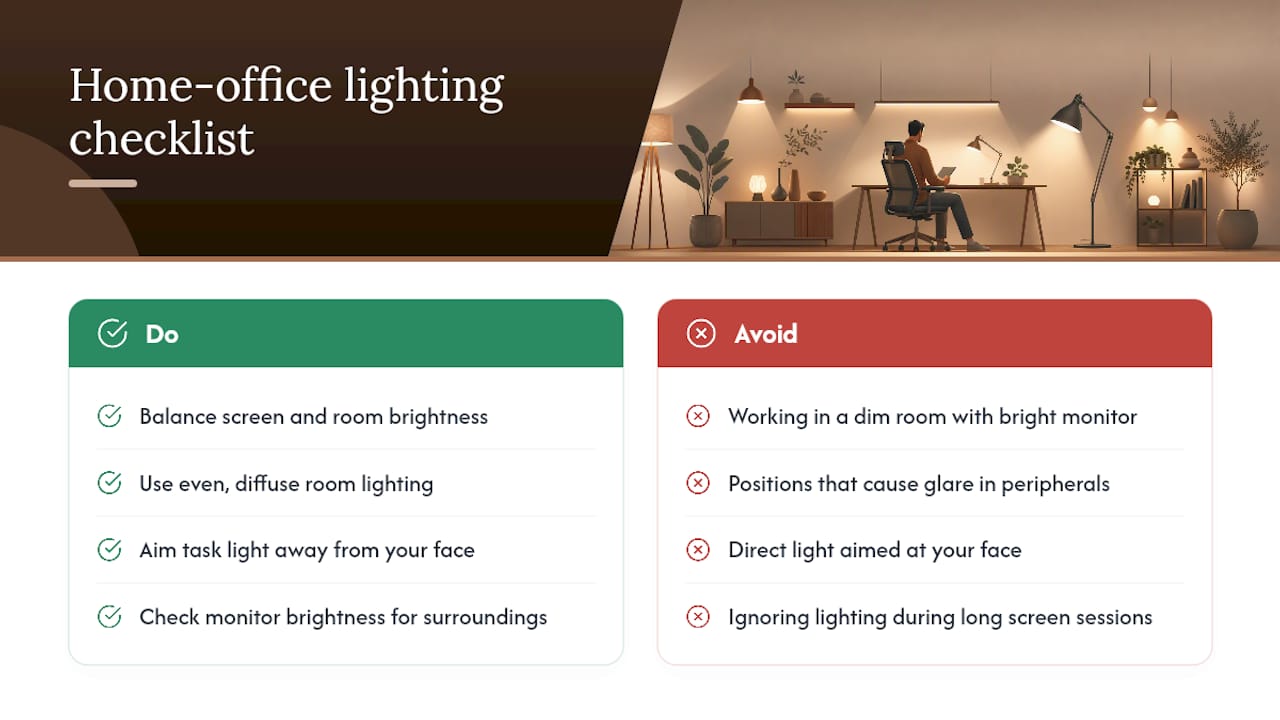
Poor lighting doesn't just look unpleasant. It measurably slows you down and wears out your eyes over the course of a workday. The controlled study on computer work fatigue found that error rates and reported eye strain both dropped under the higher illuminance and higher color temperature condition, compared to dimmer, warmer settings tested in the same experiment. That's a meaningful signal for anyone spending six or eight hours a day at a screen: the light around you is doing real work, not just setting a mood.
The mechanism is mostly about contrast and adjustment. Your eyes constantly recalibrate between the brightness of your screen, the brightness of your desk, and the brightness of the room. A dim room with a bright monitor forces your pupils to keep readjusting, which shows up as tired, dry, or achy eyes by mid-afternoon. Uneven light with glare spots adds a second problem: your eye muscles work harder to filter out the distraction of a reflected bulb or window in your peripheral vision.
Direct light aimed at your face causes a different kind of strain, since it forces you to squint or shift position to avoid it. Lighting design guidance is explicit that task lighting should never point toward the worker's face, which is a simple rule but one that a lot of desk lamp placements violate without anyone noticing until eye strain sets in.
None of this requires expensive equipment to fix. It requires paying attention to where light lands, how bright your screen is relative to your surroundings, and whether you're staring into any direct source for hours at a time.
Energy Efficiency and Choosing the Right Bulb Type
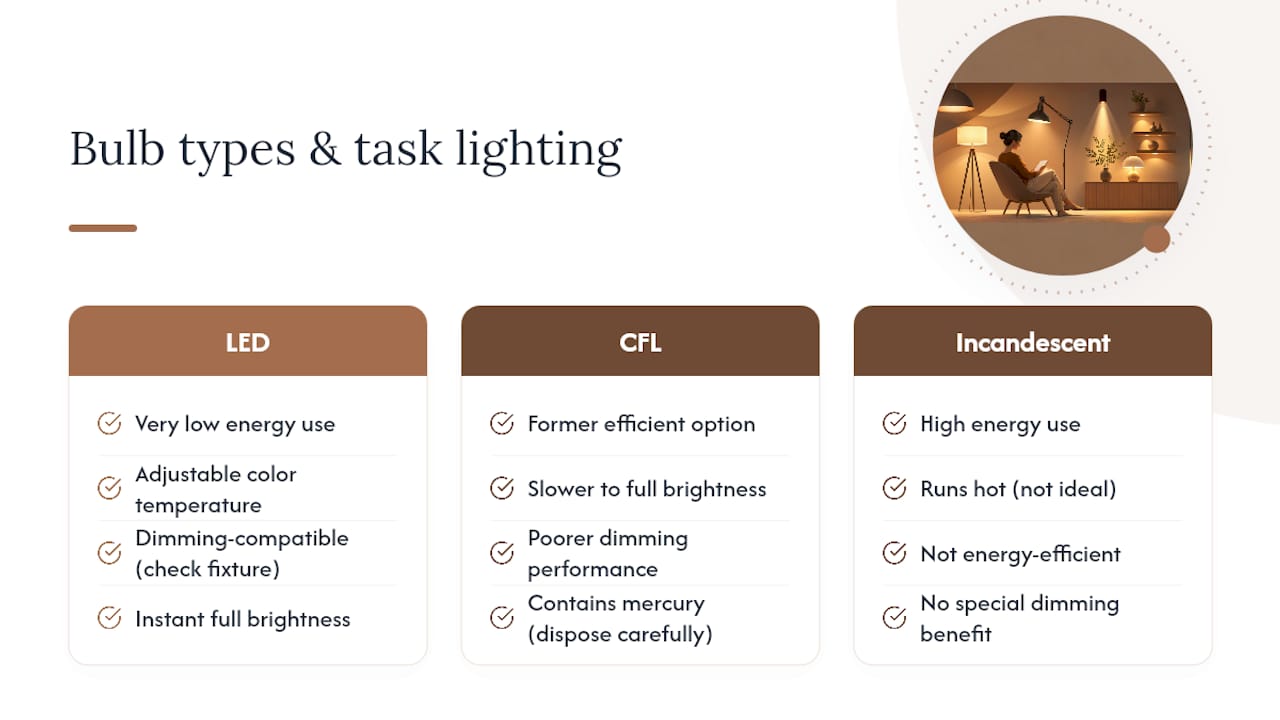
LED is the default answer for nearly every home office fixture at this point, and for good reason. LEDs use a fraction of the energy of older incandescent bulbs, run cool enough to sit close to your face in a desk lamp without discomfort, and now come in adjustable color temperature versions that let you shift from warm to cool without buying a second bulb.
CFL bulbs, once the efficient alternative to incandescent, have mostly fallen out of favor for task lighting. They're slower to reach full brightness, contain small amounts of mercury that complicate disposal, and don't dim as smoothly as LED, which matters a lot for a task lamp you'll be adjusting daily.
Adding dedicated task lighting rather than relying on one bright overhead fixture also tends to save energy overall. Analysis from the U.S. Department of Energy found that supplementing overhead lighting with task luminaires reduced annual lighting energy use by about a quarter in modeled office scenarios. (https://www.energy.gov/sites/default/files/2023-01/ssl-2023_circadian-lighting-design-strategies-office_space.pdf), since a smaller, well-aimed task light does the concentrated work that would otherwise require running a larger ambient fixture at full power.
For most desk lamps and monitor bars, look for LED bulbs in the 3500 to 4000 Kelvin range with dimming compatibility, and check that the fixture itself supports dimming, since not every LED driver plays nicely with every dimmer switch.
Budget-Friendly Ways to Fix Your Home Office Lighting
You don't need to rewire a room to fix bad home office lighting. The case study research on home office lighting conditions found that small, low-cost changes, repositioning a lamp arm, adding a bounce light off a wall, swapping to a dimmable bulb, produced bigger practical improvements than most people expect from a full renovation.
Start with the cheapest fix available: swap your current bulb for a dimmable LED if it isn't one already. That single change gives you control over brightness for the cost of one bulb, often under $15.
Next, add one plug-in task lamp with an articulating arm before considering any ceiling work. A clamp lamp or small desk lamp with a dimmer typically costs less than $40 and solves the single biggest lighting complaint in home offices: insufficient light exactly where you're working.
If your budget allows a bit more, a floor lamp aimed at a wall or ceiling corner adds ambient fill without an electrician. Reserve hardwired recessed lighting or built-in dimmer switches for when you're already renovating the room for other reasons, since the labor cost rarely makes sense as a standalone lighting fix.
Skip decorative fixtures until function is solved. A stylish pendant over a desk that's still poorly lit for actual work is a design choice, not a fix.
What Most Home Office Lighting Advice Gets Backward
Most guides treat home office lighting as a shopping problem: buy the right lamp, get the right bulb, done. That's backward. The fixture matters far less than the layering and the placement, and I'd argue most people would improve their setup more by moving their existing lamp six inches and adding a dimmer than by replacing it entirely.
The trial period gets skipped constantly, and it shouldn't. Lighting preference is personal enough that the research itself recommends adjustable setups over fixed prescriptions. A number on a lux meter tells you where to start, not where to stop. Give any new arrangement a week before judging it, adjusting brightness and color temperature as the season and your own energy shift.
The other overlooked piece is aesthetics as a productivity tool, not an afterthought. A home office that looks like a server closet under fluorescent tubes will get avoided, however technically correct the lux numbers are. Blending a smart, adjustable setup into a space that still feels like part of your home, not a bolted-on workstation, is what actually keeps people using good lighting instead of reverting to whatever overhead bulb came with the house.
Get Curated Lighting Picks From This Site
This site focuses on the "why" behind a lighting choice, not just a list of lamps to buy, which matters once you're trying to layer ambient, task, and accent light without turning your office into a showroom of mismatched fixtures. If you're ready to move past trial and error, the curated lighting picks and guides walk through fixture types, placement, and smart-control compatibility in more depth than a single article can cover.
For a step-by-step primer before you buy anything, the beginner's guide to layered lighting covers the ambient, task, and accent framework in full, including how to sequence purchases if you're working with a limited budget. Start there, browse the lighting picks for fixtures that fit your specific room, and give your new setup the one week trial it needs before deciding what to adjust next.
Sources
- Influence of lighting on visual performance — PMC
- Types of lighting fixtures and where to use them — Dwell
FAQ
What is the 3-lighting rule for a home office?
The 3-lighting rule refers to layering ambient, task, and accent light rather than relying on a single fixture. Ambient light fills the room, task light targets your work surface, and accent light adds visual interest, and using all three together reduces the harsh contrast that causes eye fatigue.
What is the 5/7 light rule?
There's no single standardized "5/7 light rule" in professional lighting design; definitions of it vary across design blogs. If you've seen it referenced, it's most likely a shorthand for spacing multiple light sources around a room, but for a home office, the layered ambient/task/accent approach and the 300 to 500 lux target are the better-supported guidelines to follow.
Why do some people dislike overhead lighting so much?
A single overhead fixture often creates flat, shadowless light that feels harsh, and it commonly casts glare or shadows across a desk depending on where you sit relative to it. Pairing overhead ambient light with a dedicated task lamp and a soft accent source, rather than relying on the overhead fixture alone, generally feels more comfortable and functional.
How do I light my home office the right way?
Start by layering ambient, task, and accent light instead of depending on one ceiling fixture, and aim for roughly 300 to 500 lux at your desk with adjustable color temperature. Test your setup for a full week, watch for glare on your monitor at night, and adjust brightness or placement before buying additional fixtures. TheconnectedDwelling's layered lighting guide breaks the process down room by room.
Should I choose LED or CFL bulbs for my desk lamp?
LED is the better choice for nearly every home office fixture, since it dims more smoothly, runs cooler, and often comes in adjustable color temperature versions. CFL bulbs are slower to warm up and don't dim as reliably, which matters for a task lamp you'll be adjusting throughout the day.