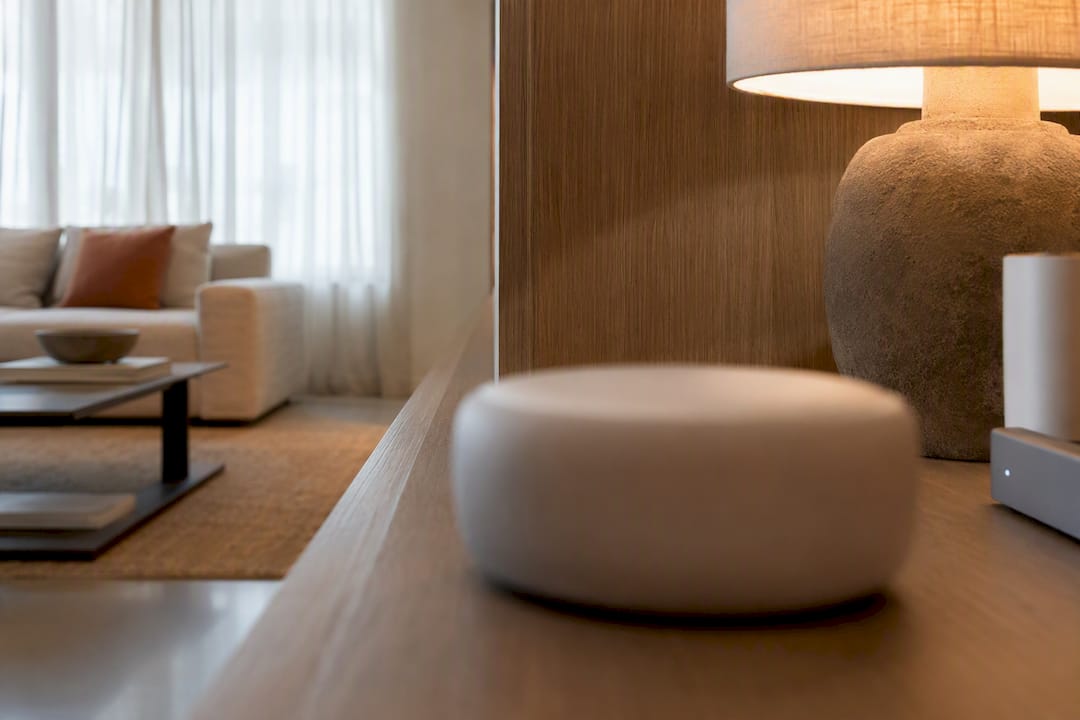
For most households, the Aeotec Smart Home Hub is the smartest all-around pick because it speaks Matter, Zigbee, Z-Wave, and Thread without forcing you into one ecosystem. If you live inside Apple Home, the Apple HomePod (2nd Generation) does the job with less setup fuss. Enthusiasts who want deep automation control and don't mind a learning curve should look at Homey Pro.
TL;DR:
- The Aeotec Smart Home Hub is ideal for households with diverse devices because it supports Matter, Zigbee, Z-Wave, and Thread, reducing device orphaning.
- Apple HomePod (2nd Generation) is best for Apple-centric homes seeking a seamless, privacy-focused HomeKit hub with built-in environmental sensors.
- Enthusiasts who want advanced automation control should consider Homey Pro or the Aeotec hub, as they support local processing and extensive radio protocols.
- Compatibility with Thread border routing and proper hub placement are critical for reliable performance of Thread and Matter devices.
- Subscriptions and limited radios can hinder hub scalability, so buyers should verify device support and consider the need for Ethernet or power backup options.
Table of Contents
- What Are Smart Home Hubs and Which One Fits Your Setup?
- How Do These Hubs Compare on Protocols and Price?
- How Do You Choose the Right Smart Home Hub?
- How Do You Fit a Hub Into a Home That Still Looks Like a Home?
- Which Hub Would I Actually Buy for My Home?
- Bring the Same Thinking to the Rest of Your Home
- Where to Verify Specs and Compatibility
- Sources
- FAQ
What Are Smart Home Hubs and Which One Fits Your Setup?
A smart home hub is the device that lets your Zigbee door sensor, your Z-Wave lock, and your Wi-Fi camera all talk to the same app and trigger the same automation. Without one, you're stuck managing four separate apps for four separate brands, and none of them know the others exist.
The industry sometimes splits hairs between a "hub" and a "bridge," and it's worth knowing the difference before you buy. A bridge typically handles one protocol, like a Philips Hue Bridge that only speaks Zigbee to your bulbs. A hub, in the fuller sense, coordinates multiple protocols and often runs the automation logic itself rather than punting everything to the cloud. That confusion trips up a lot of buyers, and it's part of why reviewers at Tom's Guide spend real time clarifying it before recommending anything.
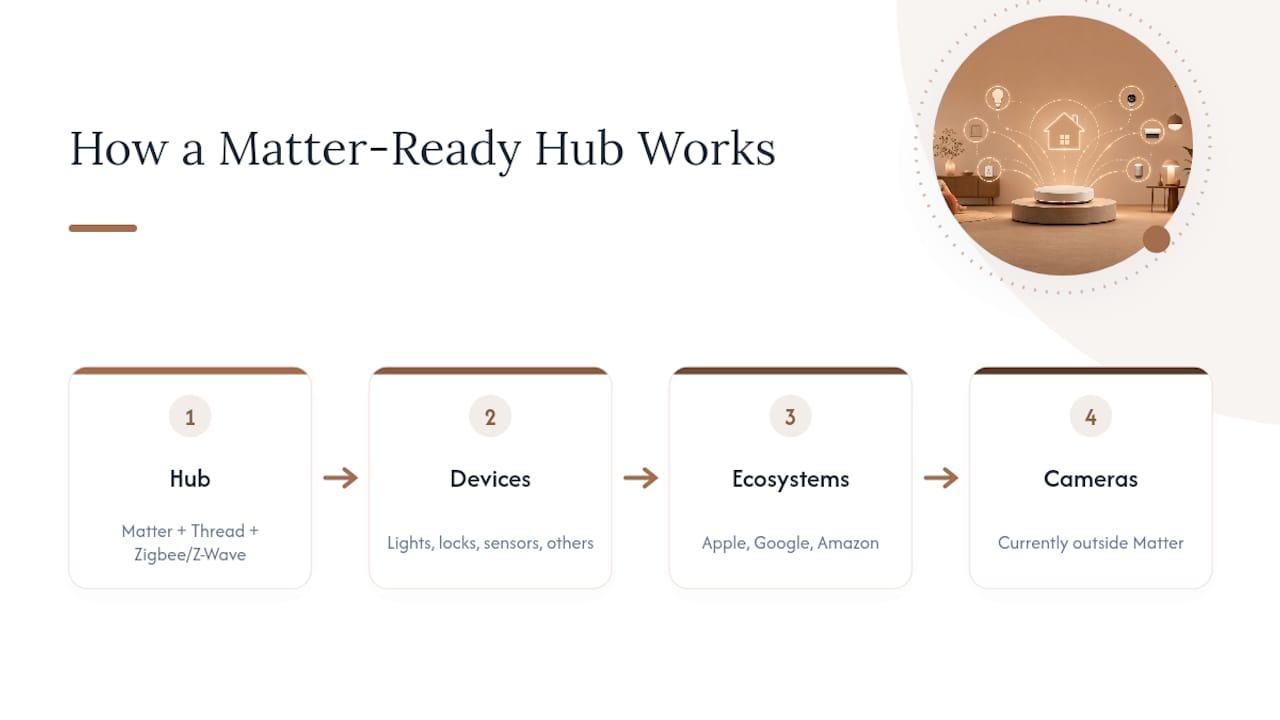
Here's the framing that matters most for 2026 shopping: Matter readiness and multi-protocol support. Matter is the cross-vendor standard meant to let Apple Home, Google Home, and Amazon Alexa all control the same device without drama, but it doesn't cover every category yet, security cameras being a notable gap, according to PCWorld's testing. A hub that pairs Matter with Thread border routing and legacy Zigbee or Z-Wave support gives you the most room to grow, whatever brand of lightbulb or lock you end up buying next.
Below is a rundown of the twelve hubs worth knowing right now, what each one actually is, and who should skip it.
Aeotec Smart Home Hub
This is a SmartThings-compatible hub built around breadth. It supports Matter, Zigbee, Z-Wave, and Thread, which puts it near the top of nearly every compatibility comparison you'll find, including Tom's Guide's hub roundup. If you've accumulated devices across several brands over the years, this is the hub that stops you from having to replace half of them.
Best for: Households with a mixed bag of devices across multiple protocols.
- Reasons to buy: Broad radio coverage means fewer orphaned devices; SmartThings app is mature and well-supported.
- Reasons to avoid: Some automation still runs through SmartThings' cloud rather than fully local processing.
Amazon Echo (4th Gen)
The Echo (4th Gen) is Amazon's mainstream smart speaker with Matter support baked in, which quietly turns it into a functional hub for many households. It's not a dedicated controller in the way the Aeotec is, but for voice-first homes it does more than people expect.
Best for: Alexa households that want hub functionality without buying a separate box.
- Reasons to buy: Affordable, easy to set up, works immediately with existing Alexa routines.
- Reasons to avoid: Weaker on Zigbee and Z-Wave device support compared to dedicated hubs.
Amazon Echo Dot Max
Think of this as the Echo Dot with more horsepower under the hood. It adds stronger local processing and, depending on your setup, Eero satellite networking features that improve Wi-Fi coverage alongside smart home control.
Best for: Alexa users who want faster response times and better mesh Wi-Fi integration.
- Reasons to buy: More capable processing than base Echo models; useful if your home already runs Eero.
- Reasons to avoid: Still tied to Alexa's ecosystem assumptions, so cross-platform users may feel boxed in.
Amazon Echo Dot (5th Gen)
This is the entry point. It's small, cheap, and supports Matter, which means it can bridge basic smart devices without asking you to spend real money to find out if you even like home automation.
Best for: First-time buyers testing the waters before committing to a bigger system.
- Reasons to buy: Low price, wide Alexa compatibility, simple app experience.
- Reasons to avoid: Limited standout features beyond the basics; not built for a complex multi-protocol setup.
Apple HomePod (2nd Generation)
The HomePod is Apple's answer for households that live inside HomeKit. It supports Matter and includes environmental sensors for temperature and humidity, and Apple has built its reputation on privacy-forward local processing rather than shipping everything to the cloud.
Best for: Apple-centric homes that want a native, tightly integrated HomeKit hub.
- Reasons to buy: Strong privacy posture, clean HomeKit integration, solid speaker quality as a bonus.
- Reasons to avoid: Limited value if you don't already own other Apple devices.
Google Nest Hub Max
This is the display-forward option in Google's lineup. It's larger than its sibling, includes a camera and screen for visual routines, and supports Thread and Matter, so it can act as a border router for compatible devices.
Best for: Google or Nest households that want a screen-based control point in a kitchen or common area.
- Reasons to buy: Big display for camera feeds and routines; solid Google Assistant capability.
- Reasons to avoid: Less appealing if you don't want a camera-equipped device in a shared space.
SmartThings
SmartThings is Samsung's long-running smart home platform and app, the software layer that ties Aeotec's hardware and other compatible hubs together. It's less a single device than the ecosystem many other entries on this list plug into.
Best for: Users who want one app to manage devices across multiple hub brands.
- Reasons to buy: Wide third-party device support and a mature automation builder.
- Reasons to avoid: Historically leaned on cloud processing, though newer hardware is closing that gap.
Homey Pro
Homey Pro is built for people who want to write real automation rules, not just toggle lights from an app. It packs an unusually wide range of radios into one box and runs much of its logic locally, which appeals to anyone who has grown frustrated with laggy cloud-based routines. PCWorld notes that platforms in this tier trade an easier setup for genuinely deeper control.
Best for: Enthusiasts who want granular automation and don't mind a steeper learning curve.
- Reasons to buy: Powerful rule engine, extensive radio support, strong local control.
- Reasons to avoid: Setup and troubleshooting take more patience than plug-and-play hubs.
Amazon Echo Hub
The Echo Hub is Amazon's dedicated control panel, a wall-mounted display meant to sit like a light switch and give your household one physical place to manage cameras, routines, and devices.
Best for: Homes that want a fixed, always-visible control surface instead of relying on phones.
- Reasons to buy: Purpose-built display for whole-home control; integrates cleanly with existing Alexa routines.
- Reasons to avoid: Requires wall space and planning, and it's an Alexa-only experience.
Apple TV 4K (third-gen)
Most people buy this for streaming, but it quietly doubles as a HomeKit hub, handling remote access and automation for your Apple-connected devices in the background.
Best for: Apple households that want their existing streaming box to also run HomeKit.
- Reasons to buy: No extra hardware needed if you already want an Apple TV; solid HomeKit hub performance.
- Reasons to avoid: Doesn't help if you're not otherwise buying into the Apple ecosystem.
Google Nest Hub (second-gen)
This is the compact sibling to the Nest Hub Max, smaller, cheaper, and still carrying Thread border router capability for compatible devices.
Best for: Buyers who want a small bedside or kitchen display without the bigger price tag.
- Reasons to buy: Smaller footprint, still supports Thread and Matter, good value for Google households.
- Reasons to avoid: Smaller screen and speaker than the Max, so it's less suited as a whole-home camera monitor.
SmartThings Station
The Station is Samsung's newer hardware push built specifically around Matter compatibility and easing the transition for anyone still running older SmartThings hubs.
Best for: Existing SmartThings users looking to modernize their hardware for Matter.
- Reasons to buy: Clear upgrade path, Matter controller built in, works with the existing SmartThings app.
- Reasons to avoid: Less compelling if you're starting from scratch with no SmartThings history.
How Do These Hubs Compare on Protocols and Price?
| Hub | Protocol support | Ecosystem | Local vs. cloud | Best for | Price tier | Standout feature |
|---|---|---|---|---|---|---|
| Aeotec Smart Home Hub | Matter, Zigbee, Z-Wave, Thread | SmartThings | Mixed, local-leaning | Mixed-protocol households | $$$ | Broadest radio support on this list |
| Homey Pro | Matter, Zigbee, Z-Wave, Thread, Wi-Fi | Independent | Mostly local | Enthusiasts and power users | $$$$ | Advanced rule engine |
| SmartThings Station | Matter, Zigbee, Thread | SmartThings | Mixed | SmartThings upgraders | $$ | Migration path to Matter |
| SmartThings | Matter, Zigbee, Z-Wave (via hardware) | SmartThings | Mixed | Multi-hub households | $ (software) | Unified app across brands |
| Amazon Echo Hub | Matter, Thread, Wi-Fi, Bluetooth | Alexa | Mostly cloud | Wall-mounted control panel seekers | $$$ | Dedicated display and control surface |
| Amazon Echo Dot Max | Matter, Thread, Wi-Fi, Bluetooth | Alexa | Mostly cloud | Alexa users wanting more power | $$ | Stronger processing, Eero features |
| Amazon Echo (4th Gen) | Matter, Wi-Fi, Bluetooth | Alexa | Mostly cloud | Voice-first Alexa homes | $$ | Easy Alexa integration |
| Amazon Echo Dot (5th Gen) | Matter, Wi-Fi, Bluetooth | Alexa | Mostly cloud | Budget beginners | $ | Lowest price of entry |
| Apple HomePod (2nd Generation) | Matter, Thread, Wi-Fi | Apple | Local-leaning | Apple-centric homes | $$$ | Privacy-focused HomeKit hub |
| Apple TV 4K (third-gen) | Matter, Thread, Wi-Fi | Apple | Local-leaning | Apple homes wanting dual-purpose hardware | $$$ | HomeKit hub plus streaming |
| Google Nest Hub Max | Matter, Thread, Wi-Fi | Mixed | Google households wanting a display | $$$ | Large screen, camera routines | |
| Google Nest Hub (second-gen) | Matter, Thread, Wi-Fi | Mixed | Compact Google display needs | $$ | Thread border router in a small unit |
The clearest trade-off in this table isn't price. It's compatibility versus simplicity. Aeotec and Homey Pro cover the most radios, which means fewer future headaches if you buy an odd Zigbee sensor down the road, but they also ask more of you during setup. The Echo, Nest, and Apple devices trade some of that flexibility for a plug-in experience that works within an hour. As The Verge points out, ecosystem hubs suit most people precisely because convenience beats maximum compatibility for daily use.
Matter support alone doesn't guarantee smooth performance. A hub also needs a solid Thread border router implementation to make Thread-based devices reliable, and not every "Matter compatible" label carries the same real-world consistency.
How Do You Choose the Right Smart Home Hub?
Pick a hub the way you'd pick a foundation, not a gadget. Get this choice right and everything else, lighting, locks, sensors, snaps into place with less friction later. Here's the order I'd actually work through it in:
- Audit what you already own. Walk through your home and list every connected device by protocol: Zigbee lock, Z-Wave sensor, Wi-Fi plug, whatever it is.
- Identify the radios you actually need. If everything you own is Wi-Fi or Matter-ready, you have more flexibility. If you've got legacy Zigbee or Z-Wave gear, that narrows your options fast.
- Decide between an ecosystem hub and a local-control platform. Ecosystem hubs (Echo, Nest, HomePod) are easier but lean on cloud processing for some features. Platforms like Homey Pro or the Aeotec hub give you more local automation at the cost of setup time.
- Plan physical placement before you buy. Central location, minimal obstruction, and Ethernet access if the hub supports it all affect real-world reliability.
- Test a small group of automations before committing further. Set up two or three routines, a motion-triggered light, a scheduled thermostat change, and see how they hold up over a week before you build your whole system around one hub.
Watch for a few red flags while you shop. Subscription-locked features are increasingly common, and a hub that requires a monthly fee just to keep basic automations running is worth a second look. Missing radios you actually need is the most common buyer's regret; Tom's Guide's compatibility notes stress mapping your device protocols before you buy, not after. Poor documentation is another warning sign, since a hub with a thin support site usually means slow troubleshooting when something breaks. And limited device capacity matters more than people expect: some budget hubs, like Ikea's Dirigera, are excellent entry points but cap out quickly if you plan to scale past a starter setup.
Pro Tip: Before you buy a second device for a new hub, set up one automation that has to run without an internet connection, like a motion sensor triggering a hallway light, then unplug your router for five minutes and see if it still fires. That single test tells you more about a hub's local control than any spec sheet.
If your setup is genuinely complex, spanning multiple protocols, several rooms, and integrated security, CEDIA recommends looping in a certified professional rather than guessing your way through it.
How Do You Fit a Hub Into a Home That Still Looks Like a Home?
A hub doesn't need to sit in plain view to work well, but it does need airflow and, ideally, a clear line to your router. I generally hide small hubs like the Aeotec or Homey Pro inside a media console or on a shelf with the back open, while display-based hubs like the Google Nest Hub Max earn a spot on a counter or entryway table where you'll actually use the screen.
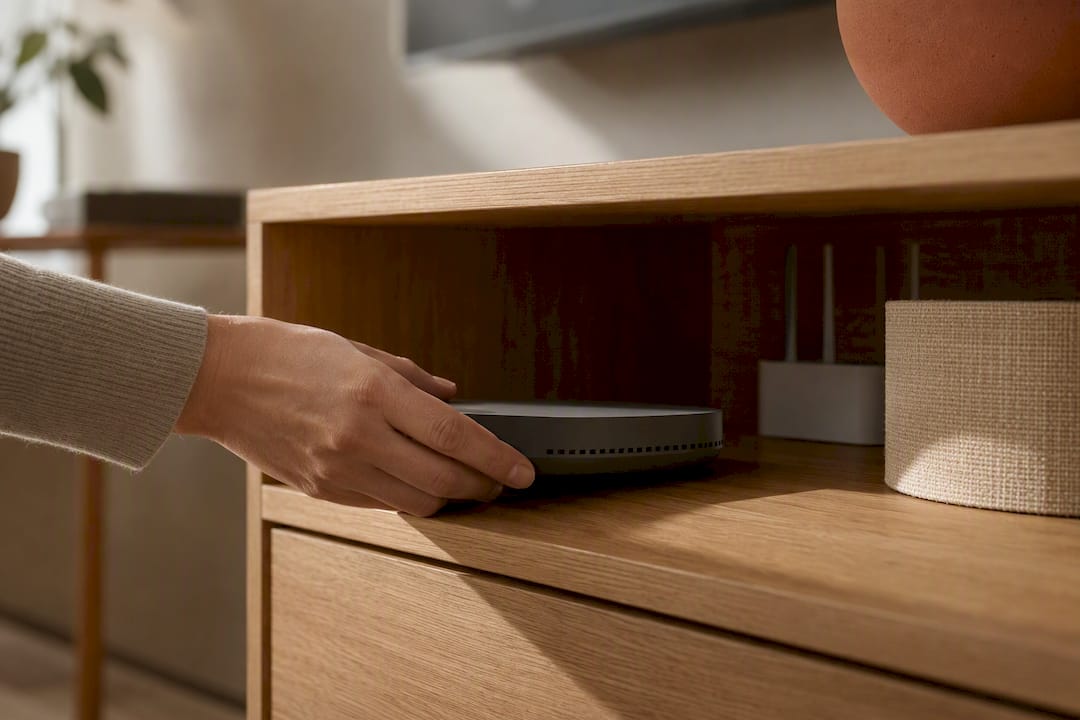
Antenna placement matters more than most people assume. Tucking a multi-radio hub behind a metal cabinet door can quietly cripple your Zigbee or Z-Wave range, so if you're building it into furniture, leave the front face exposed or use a cabinet with a fabric or open-slat door.
A few practical notes worth keeping in your back pocket:
- Wired ethernet beats Wi-Fi for hub reliability, especially in busy households with congested networks.
- PoE (Power over Ethernet) or a small UPS keeps local automations running through brief outages, which matters most for security-related routines.
- USB-C power bricks tend to be more reliable long-term than the cheap micro-USB cables some older hubs still ship with.
On privacy, worth being direct: any hub with a microphone or camera, which includes most Echo and Nest devices, is capturing audio or video to some degree. If that concerns you, look for local-control capable hubs and check the manufacturer's data settings before setup rather than after. Home Assistant's documentation is a useful reference point for understanding what "local" actually means in practice, since the term gets used loosely across marketing pages.
Pro Tip: If you're integrating a hub into a custom shelf or millwork, run a spare ethernet drop even if you don't plan to use it right away. Retrofitting cable access after the cabinetry is built is far more disruptive than adding one extra line during construction. For more on keeping the tech invisible without losing performance, see how to build a smart home that doesn't look like one.
Which Hub Would I Actually Buy for My Home?
If you're a casual user just starting out, buy the Amazon Echo Dot (5th Gen) or the Apple HomePod (2nd Generation), whichever matches your phone, and add a smart plug, a motion sensor, and one smart bulb first. That's enough to learn what you actually want before spending more.
For Apple-centric households, I'd skip the extra hardware and start with the Apple TV 4K (third-gen) you may already own, since it runs HomeKit automations quietly in the background.
Enthusiasts should go straight to Homey Pro or the Aeotec Smart Home Hub, then spend a weekend building five or six real automations, not just light switches, before adding more devices. Test locally first. Everything else follows from there.
Bring the Same Thinking to the Rest of Your Home
A hub solves the control problem, but it doesn't solve how your living room looks with a tangle of cables running behind the console. This platform focuses on the overlap between technology and design, aiming to integrate technology seamlessly so your smart home works well and still looks intentional.

Our Connected Home resource walks through hub placement, cable routing, and how to plan power access before you commit to a layout, which is a lot easier to solve on paper than after the shelving is installed. Once your hub is chosen and placed, pairing it with the right bulbs makes the biggest visible difference in a room, and our Lighting guides cover which fixtures play well with Matter and Thread-based automations. Start with the Connected Home guide before you buy furniture around your new setup.
Where to Verify Specs and Compatibility
Manufacturer pages change specs quietly, so it's worth checking these directly before a purchase rather than relying on memory of last year's model.
- Thread Group's certified products list for confirming genuine Thread certification.
- Tom's Guide's smart home hub roundup for updated hands-on comparisons.
- The Verge's hub explainer for ecosystem-level context.
- PCWorld's smart home system guide for entry-level to advanced comparisons.
- CEDIA's controller guidance for professional installation advice.
Sources
- The best smart home hubs | Tom's Guide
- Smart home hubs: what they are and why you need one | The Verge
- Best smart home systems 2026: From entry-level to all-powerful | PCWorld
- Smart Home Controllers – How to Choose the Right One | CEDIA
- Home Assistant
FAQ
What Is the Best Hub for a Smart Home?
There isn't one universal answer. The Aeotec Smart Home Hub suits mixed-protocol households, the Apple HomePod (2nd Generation) suits Apple-centric homes, and Homey Pro suits enthusiasts who want deep local automation.
What Does a Smart Home Hub Do?
A hub connects devices that use different wireless protocols, like Zigbee, Z-Wave, and Wi-Fi, so they can work together in one app and trigger shared automations instead of running as isolated gadgets.
What Is the Difference Between a Smart Home Gateway and a Hub?
The terms are often used interchangeably, but "gateway" sometimes refers more narrowly to a device that translates one protocol into an internet connection, while a full hub typically manages multiple protocols and can run automation logic locally.
What Is the Difference Between a Hub and a Bridge in a Smart Home?
A bridge generally handles a single protocol, connecting one brand's devices, like Zigbee bulbs, to your network. A hub is broader, coordinating multiple protocols and often running automations itself rather than relying entirely on a single manufacturer's app.
Do I Need a Smart Home Hub If My Devices Already Connect to Wi-Fi?
Not necessarily. Plenty of Wi-Fi devices work fine without a hub, but a dedicated hub becomes important once you add Zigbee, Z-Wave, or Thread devices, or when you want automations that keep working during an internet outage.