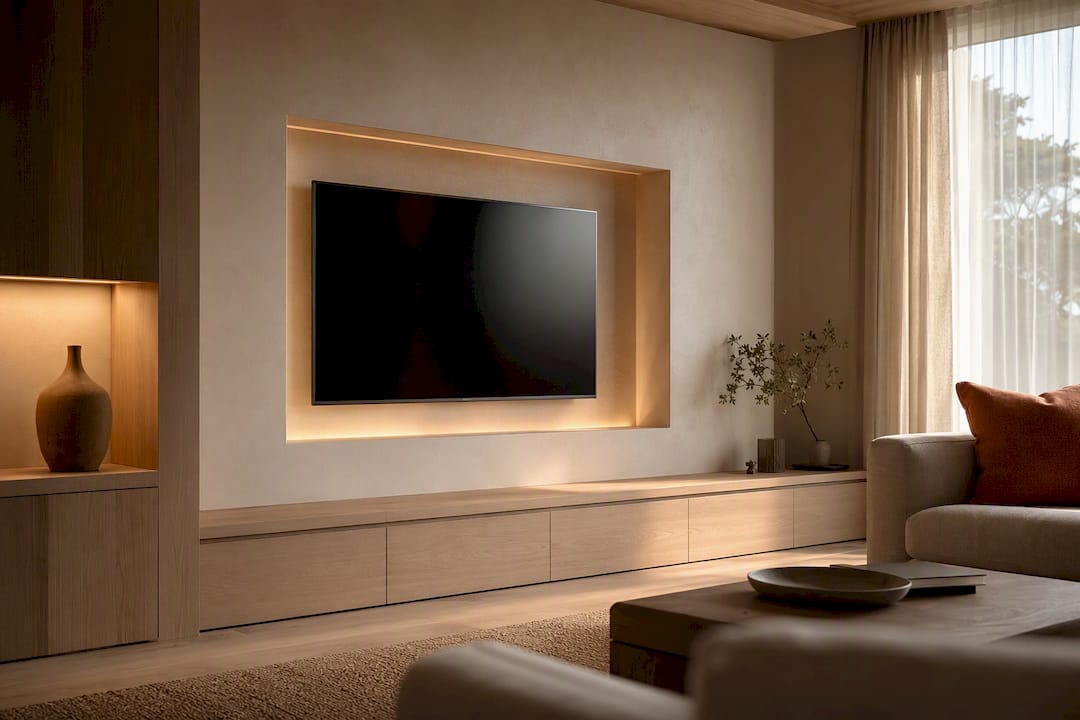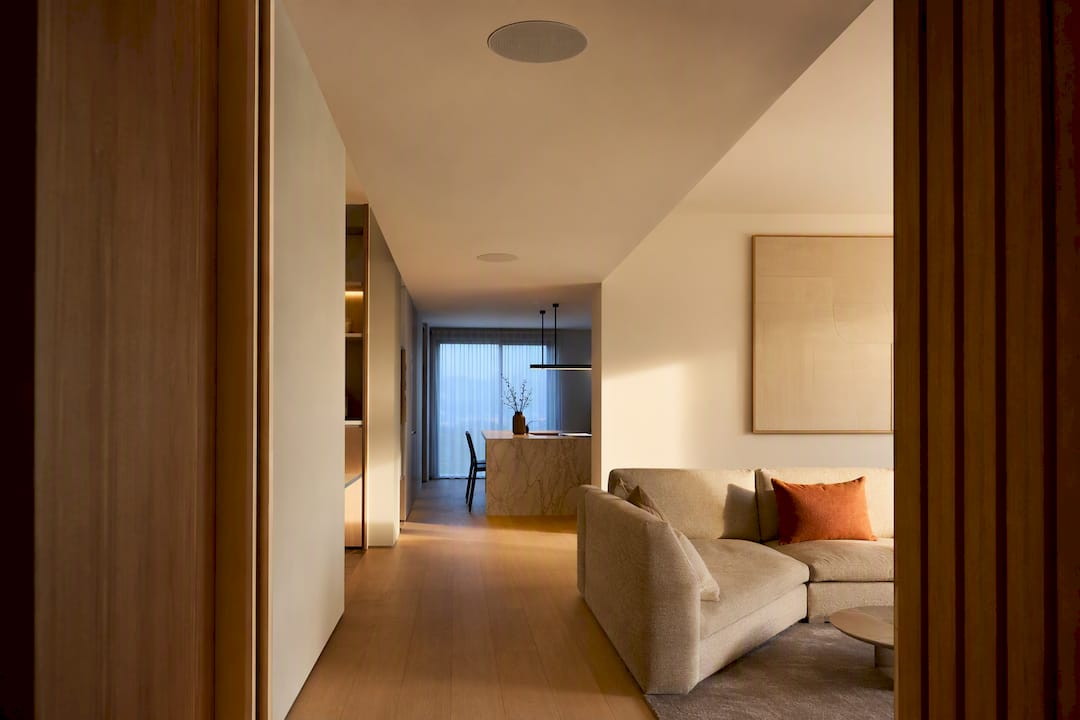
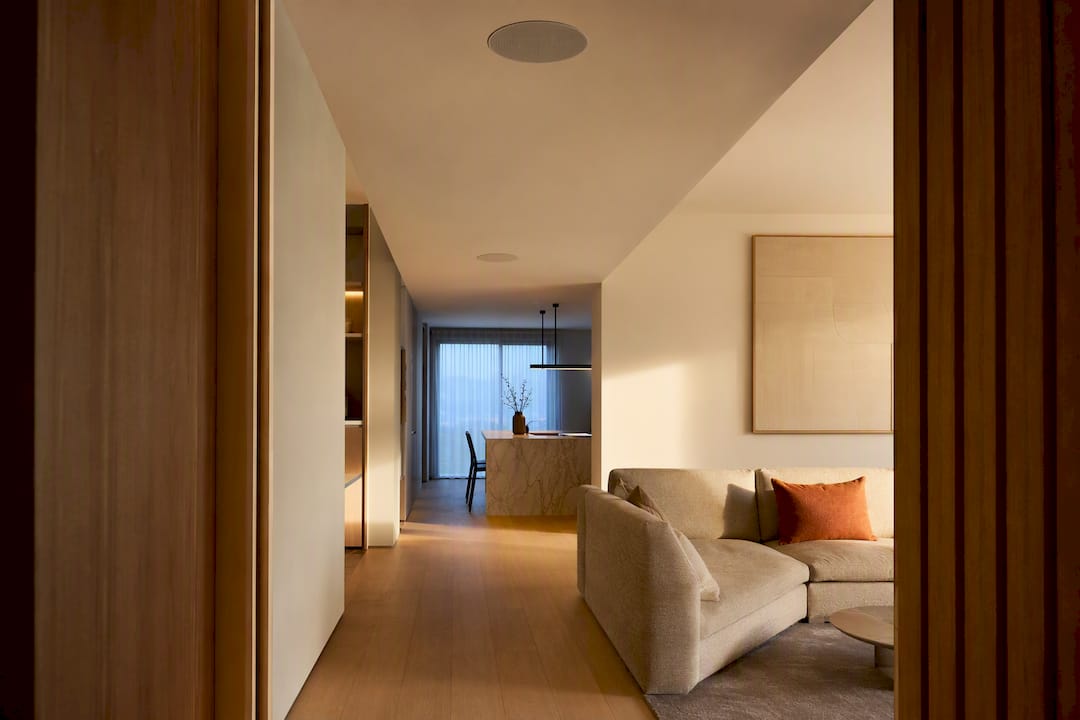
Start with a wireless speaker-based system unless you're pouring new construction or chasing zero-compromise reliability. Wireless gets you music in three rooms this weekend; wired takes more planning but never stutters. Either way, your first move is the same: map which rooms need sound, then test your Wi-Fi signal in each one before you buy anything.
TL;DR:
- Wired connections offer superior reliability and consistent sync, especially in large or complex homes, but require professional installation and higher upfront costs.
- Wireless setups are faster and easier to install, with most devices ready to use within minutes, but can experience dropouts and latency if Wi-Fi coverage is poor.
- Proper network configuration, including dual-band Wi-Fi, Ethernet backhaul, and QoS prioritization, is essential to prevent dropouts and sync issues in multiroom systems.
- The cost per zone ranges from $150 to over $700 depending on hardware quality, with a typical full system for several rooms staying under $1,000.
- Effective zone planning reflects actual living habits and room sizes, with larger homes requiring more zones and outdoor zones needing weatherproof speakers.
Table of Contents
- What Is a Multiroom Audio Setup, and How Does It Work?
- Wired vs Wireless: Which Architecture Should You Choose?
- Plan Your Zones and Set a Realistic Budget
- Network and Power Fundamentals a Homeowner Must Get Right
- Speaker Types and Placement: Pick the Right Hardware for Each Room
- Step-by-Step Setup Checklist: Add Devices, Group Rooms, and Test Sync
- Troubleshooting and Optimization: Solve Dropouts, Echo, and Latency
- Design Integration: Make Multiroom Audio Look Intentional
- Detailed Wiring Diagrams and Cable Management for Wired Setups
- A Real-World View on Balancing Performance and Style
- Let TheconnectedDwelling Help You Design Around the Sound
- Sources
- FAQ
What Is a Multiroom Audio Setup, and How Does It Work?
A multiroom audio setup links speakers across different rooms so you can play the same song everywhere at once, or send jazz to the kitchen while the living room stays quiet. That's the core distinction worth knowing before you shop: multiroom usually means synchronized playback across zones, while multi-zone refers to the underlying hardware architecture, often a single amplifier feeding several independent rooms.
Most setups share three parts: source (your phone, a streaming service, a music server), endpoints (the speakers themselves), and a control app that manages grouping and playback. On the wireless side, protocols like AirPlay 2 or a manufacturer's proprietary sync engine keep every speaker playing in step, usually within milliseconds of each other. Sonos explains multiroom audio as a system that lets the same audio play synchronously or independently per zone, whether you build it with wireless speakers or wired, in-ceiling units run off a multi-zone amplifier.
A basic starter setup needs:
- Two or more networked speakers or one multi-zone amp with passive speakers
- A dual-band router with decent 5GHz coverage
- A control app installed on your phone
- A stable home network (this matters more than people expect)
Wired vs Wireless: Which Architecture Should You Choose?
Wireless wins on speed and flexibility. You unbox a speaker, join it to Wi-Fi, and you're playing music in under ten minutes. Wired wins on consistency. It never drops, never lags, and never cares how many devices are fighting for airtime on your router.
Here's how the tradeoffs actually break down:
- Reliability and latency: Ethernet-connected speakers stay in sync indefinitely, since a wired installation eliminates the Wi-Fi variability that causes wireless dropouts. Wireless systems depend on network health, which fluctuates.
- Cost: Wireless speakers cost more per unit but need no installation labor. Wired in-ceiling speakers are cheaper per driver but require running cable, cutting drywall, and installing an amplifier.
- Installation difficulty: Wireless is DIY friendly. Wired setups usually mean an electrician or AV installer, especially for finished walls.
- Aesthetics: In-ceiling speakers disappear almost completely. Wireless speakers sit on shelves or stands, which some homeowners love and others find cluttered.
Pre-wire during new construction or a gut renovation, when walls are already open. Retrofit with wireless everywhere else. A hybrid approach works well for most homeowners: wire the living room and kitchen where you want zero-fail performance, then fill bedrooms, offices, and guest rooms with wireless speakers you can move or upgrade later without touching the walls.
Plan Your Zones and Set a Realistic Budget
Walk your floor plan before you walk into a store. Zones should follow how you actually live, not how many rooms your house happens to have. A home office you use for calls all day needs its own zone with independent volume control. A hallway you pass through in three seconds probably doesn't need one at all.
- List the rooms where you want music on demand: kitchen, living room, primary bedroom, and home office cover most daily use.
- Group adjacent open-concept spaces into one zone rather than splitting them, since a kitchen and dining area that share airspace rarely need separate volume control.
- Add secondary zones like bathrooms, a home gym, or a covered patio once your core rooms are working reliably.
- Reserve outdoor zones for moisture-rated speakers built for temperature swings and rain exposure, not standard indoor units in a weatherproof case.
Most starter homes have a few zones, typically including kitchen, living room, and primary bedroom. Larger or multi-story homes usually have several zones covering common areas plus bedrooms. Very large properties may include many more zones.
Budget follows the same curve. WiredHaus estimates entry-level zones running $150 to $300 per room, mid-range setups landing between $300 and $700, and premium in-wall or high-fidelity zones pushing past $400 and climbing depending on the amplifier and speaker quality. A whole system under $1,000 is realistic for most homes if you're not wiring every room.
Network and Power Fundamentals a Homeowner Must Get Right
Multiroom audio is a network problem wearing a speaker costume. When playback stutters or two rooms fall out of sync, the culprit is almost always Wi-Fi congestion, not a bad speaker. Poor Wi-Fi coverage is the single most common cause of dropouts and sync errors in wireless multiroom systems, which is why network prep matters more than speaker shopping.
A few network habits prevent most problems before they start:
- Put stationary speakers on 5GHz where signal strength allows, and use mesh Wi-Fi with a wired backhaul between nodes for larger homes.
- Run Ethernet to any speaker that never moves, especially amplifiers feeding in-ceiling zones.
- Ask your installer (or set up yourself) a dedicated audio VLAN so streaming traffic doesn't compete with security cameras or a dozen other smart devices.
- Enable QoS prioritization for audio traffic if your router supports it.
Bandwidth demands are modest. Compressed streaming uses roughly 0.3 to 0.5 Mbps per zone, CD-quality lossless runs about 2 to 3 Mbps, and even high-resolution formats rarely cross 9 Mbps per zone. The issue is never raw bandwidth. It's interference, dropped packets, and too many devices competing on one congested band.
Pro Tip: If you're setting up a dedicated audio VLAN yourself, allow the specific mDNS exceptions your speakers need for discovery. Block everything else and you'll cut down cross-talk from smart plugs and cameras without breaking AirPlay.
On power: powered speakers have an amplifier built in and plug straight into an outlet. Passive speakers need an external amp, one per zone for in-ceiling installs, tucked into a closet with airflow so it doesn't overheat during long listening sessions.
Speaker Types and Placement: Pick the Right Hardware for Each Room
Not every room wants the same speaker. Portable and smart speakers suit rooms where flexibility matters more than polish, a kitchen counter or a home office desk where you might rearrange furniture next year. Powered bookshelf speakers deliver noticeably better sound for a living room or primary bedroom where you actually sit and listen. In-ceiling or in-wall speakers disappear entirely, ideal for bathrooms, hallways, or any space where visible hardware would clash with your design.
For living rooms doing double duty as a home theater, a soundbar or AV receiver anchors the front channels while ceiling speakers handle the rest of the house independently.
Placement follows a simple rule of thumb worth knowing: the 83% rule for stereo speakers suggests each speaker should sit about 83% of the intended listening distance apart, forming close to an equilateral triangle with your main seating position. It's a starting point for tight, well-imaged stereo sound, not a rigid law. In a multiroom context, the bigger placement wins are simpler:
- Keep ceiling speakers evenly spaced, not clustered near one wall
- Avoid pointing bookshelf speakers directly into a corner, which muddies bass
- Choose speaker grilles and finishes that match trim color, not just the speaker's default white or black
- Check the living-room sound guide for placement details specific to that room
Step-by-Step Setup Checklist: Add Devices, Group Rooms, and Test Sync
Once you've mapped your zones and confirmed your network can handle them, the actual setup moves fast.
- Run a Wi-Fi coverage test in every target room using your phone's signal meter before installing a single speaker.
- Unbox and add each speaker in its native control app, one at a time, connecting to your 5GHz network where possible.
- Update firmware immediately on every device. Outdated firmware causes more sync bugs than any other single issue.
- Name each room accurately in the app. "Kitchen" beats "Speaker 3" once you have six zones to manage.
- Create a handful of favorite groups. Most households settle into two or three regular combinations, something like "downstairs," "everywhere," and one paired living room set.
- Run a sync test with a track you know well, standing between two grouped speakers to listen for any audible lag.
- Level your volumes per zone so the bathroom speaker isn't blasting at the same output as the living room pair.
- Link voice assistants if you want hands-free control, and schedule any automated playback for mornings or specific rooms.
- Document the system: which speaker is on which network port, amp locations, and firmware versions, especially useful if you ever hand the setup to an installer for troubleshooting.
Pro Tip: Keep your favorite group names short and consistent across every family member's phone. "Everywhere" works. "Whole House Minus the Garage" does not.
Troubleshooting and Optimization: Solve Dropouts, Echo, and Latency
Most multiroom problems trace back to the network, not the speakers themselves. If one room drops out repeatedly while others stay solid, check that room's Wi-Fi signal strength first. Weak coverage in a single zone is far more common than a defective unit.
- Dropouts in one room: Move that speaker closer to a mesh node, or run Ethernet if it's a fixed device.
- Two speakers drifting out of sync: Update firmware on both, and confirm they're on the same protocol (mixing AirPlay 2 with a proprietary sync engine across brands rarely works cleanly).
- Audible latency during grouped playback: Apply QoS rules that prioritize audio traffic over background downloads or camera streams.
- One room sounds quieter even at matched volume: That's usually room acoustics, hard floors, high ceilings, sparse furniture, not the amplifier.
Since typical compressed streams need only 0.3 to 0.5 Mbps per zone, a dropout almost never means your internet plan is too slow. It means something local is interfering: too many 2.4GHz devices, a router placed too far from a listening room, or a mesh node that needs repositioning.
If you've worked through firmware updates, band separation, and Ethernet backhaul and problems persist, that's the point to call in an AV integrator rather than keep guessing.
Design Integration: Make Multiroom Audio Look Intentional
Some design experts argue that technology should disappear into a room's design, not compete with it. Audio gear is one of the easier categories to get wrong here, because so much of it gets shopped on spec sheets instead of sightlines.
In-wall speakers solve most visibility problems outright, but they require planning outlet placement and grille color before drywall goes up, not after. Getting finishes right during install avoids the mismatched white grille against a warm wood ceiling that nobody notices until it's too late to fix cheaply.
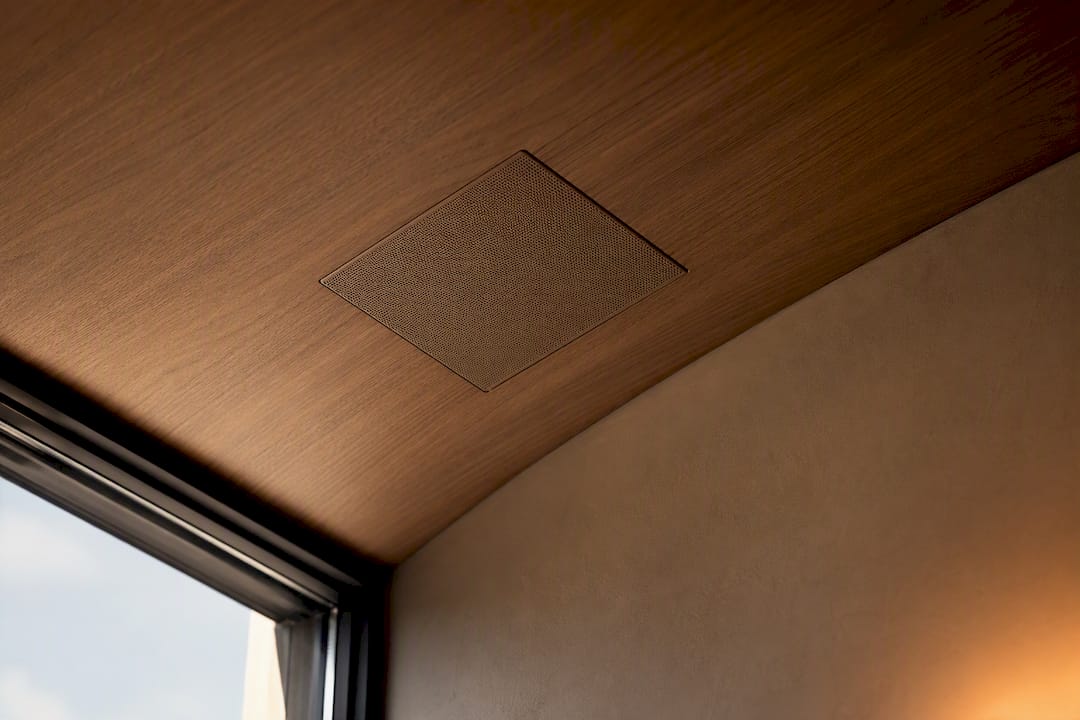
For visible speakers, route cords along baseboards or behind furniture rather than across open floor. Brief your installer the way you'd brief a lighting contractor: show them the material palette, point out sightlines from the main seating area, and ask them to keep amplifier closets ventilated but out of view. A warm modern living room can absorb a soundbar and a pair of bookshelf speakers without looking like a showroom, if the finishes are chosen with the same care as the furniture.
Detailed Wiring Diagrams and Cable Management for Wired Setups
A wired multiroom system typically follows a hub-and-spoke layout. Your equipment closet or media cabinet houses the multi-zone amplifier and network switch, with speaker wire (usually 16 or 14 gauge) running from each amp channel out to its dedicated room. Label every run at both ends during installation. A closet with eight unlabeled wires six months later is a guessing game nobody enjoys.
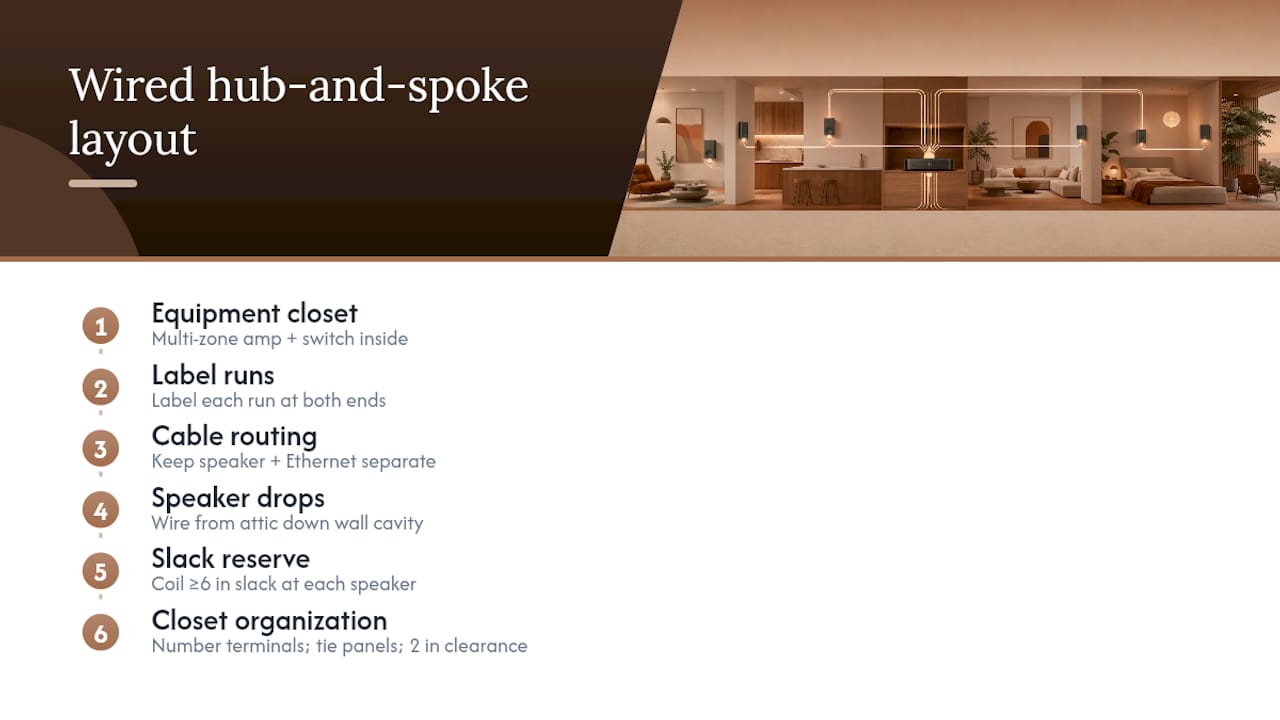
Run speaker wire and Ethernet cable through separate conduit or at least keep them a few inches apart where they run parallel. Speaker wire carries a magnetic field that can introduce hum into nearby data lines, especially over long parallel runs.
For in-ceiling speakers, plan the wire path before cutting any drywall. Wire typically drops from the attic or crawl space down an interior wall cavity to reach the ceiling location, then terminates at the speaker's back-can. Keep at least six inches of slack coiled near the speaker location in case you need to swap a unit later.
Inside the equipment closet, use a wire management panel or simple cable ties to keep amplifier inputs and outputs organized by zone. Number each terminal to match your room labels. This sounds tedious until the day a single speaker goes quiet and you need to trace the fault in minutes instead of an afternoon.
Leave your amplifier at least two inches of clearance on all sides, and never stack gear directly on top of it. Heat buildup in a closed cabinet is one of the more common, and easily avoidable, causes of amplifier failure in whole-home installations.
A Real-World View on Balancing Performance and Style
A recent brief we discussed internally was typical: a family wanted music in the kitchen, living room, and primary bedroom, on a moderate budget, with zero visible speaker wire in the main living space. The solution ended up hybrid, in-ceiling speakers wired during a kitchen renovation, wireless bookshelf units in the bedroom where running cable wasn't worth the drywall repair.
That's the tradeoff every homeowner eventually makes: budget, aesthetics, and performance rarely all win at once. Pick the two that matter most for each specific room, and let the third bend. For more on how to make smart-home tech disappear into a space, browse our connected home coverage.
Let TheconnectedDwelling Help You Design Around the Sound
This site exists to help after you've picked your speakers and started wondering how to make them look like they belong. Rather than another spec-sheet comparison, it focuses on practical design aspects often skipped: outlet placement, grille finishes, cord routing, and how a sound system fits into a room's actual materials and light.

That means practical design guidance next to product recommendations, so you're not choosing between a speaker that sounds great and a living room that looks intentional. If you're planning a renovation or new build where audio and lighting decisions overlap, start with our connected home guide to see how the whole system, sound, light, and layout, comes together before you commit to a single purchase.
Sources
For network setup and VLAN configuration, WiredHaus's whole-home audio guide covers bandwidth and QoS in detail. For wired installation planning, FSTG's whole-house audio guide breaks down amplifier and in-ceiling speaker choices. Sonos's multiroom audio overview explains core terminology clearly.
- How to Create a Multiroom Audio Setup in Your Home — Sonos Blog
- Whole-Home Audio Network Setup 2026 — WiredHaus
- Whole House Audio System Planning Guide | FSTG
FAQ
How Do I Set Up a Multi-Room Audio System?
Map which rooms need sound, test Wi-Fi strength in each one, then add your speakers through their control app one at a time, updating firmware and naming rooms as you go. Group frequently used rooms into a few favorite combinations and run a sync test with a familiar track before calling the setup finished.
What Is the Best Audio Setup for a Small Room?
A single powered bookshelf speaker or a compact smart speaker usually outperforms a full stereo pair in a small room, since there's rarely enough distance to form a proper listening triangle. Placement near a corner boosts bass but can muddy clarity, so keep the speaker a few inches off the wall if space allows.
What Is the 83% Rule for Speakers?
The 83% rule suggests spacing your two main speakers apart by about 83% of the distance between the speakers and your primary listening position, forming close to an equilateral triangle. It's a helpful starting point for stereo imaging in a dedicated listening room, though multiroom zones rarely need this level of precision.
What Is the Best Sound System for Multiple Rooms?
There's no single best system. It depends on whether you value zero-fail reliability (wired in-ceiling speakers with a multi-zone amplifier) or fast, flexible setup (wireless speakers on your existing Wi-Fi). A hybrid approach, wired in core living spaces and wireless elsewhere, works well for most homeowners balancing performance against budget.
How Much Does a Multiroom Audio Setup Cost?
Entry-level zones typically run $150 to $300 per room, mid-range setups fall between $300 and $700, and premium in-wall installations often exceed $400 per zone depending on the amplifier and speakers chosen. A full system covering two or three rooms can stay under $1,000 for most standard homes.